
Use Facebook user profile data to populate your analytics reports
Have you ever wanted to have in-depth details about your website visitors or app users?
If your users “login with Facebook” and login to your site with their Facebook credentials, you can access valuable profile data.
In this article, we will discuss and explain two topics: a) how to access Facebook visitor data and b) how to insert this data into your Opentracker web analytics reports.
This data is available when a visitor or user is logged in with Facebook login details.
Q: How does it work?
A: When your visitors login to your site or app with their Facebook identity, you collect user information which you can access via our API. This information can then be shown in the Opentracker reporting system and populate Visitor Profiles.
Additionally, you can then search through all of your data to match or locate any visitors or variables that interest you.
Due to the technical nature of this article, knowledge of JavaScript and the Facebook API is required. In this example, we will collect information on the visitor’s gender.
The JavaScript used to collect visitor Facebook profile information
function login() {
    FB.login(function(response) {
        if (response.authResponse) {
            // connected
            console.log("FB.login connected");
            window.location.reload();
        } else {
            // cancelled
            console.log("FB.login cancelled");
        }
    }, fbscope);
}

window.fbAsyncInit = function() {
    FB.init({
        appId: '123456789012345',
        // App ID
        channelUrl: '//staging.pdfmyurl.com/facebook.channel.html',
        // Channel File
        status: true,
        // check login status
        cookie: true,
        // enable cookies to allow the server to access the session
        xfbml: true // parse XFBML
    });

    // Additional init code here
    FB.getLoginStatus(function(response) {
        if (response.status === 'connected') {
            // connected
            console.log("FB.getLoginStatus connected");
            sendUserInfo();
        } else if (response.status === 'not_authorized') {
            // User logged into FB but not authorized
            console.log("FB.getLoginStatus not_authorized");
        } else {
            // User not logged into FB
            console.log("FB.getLoginStatus not_logged_in");
        }
    });
};

function sendUserInfo() {
    FB.api('/me', function(response) {
        //console.log("my object: %o", response);
        var map = new OTMap();
        //map.put("username!", response.username);
        map.put("gender!", response.gender);
        OTLogService.sendEvent("user logged in", map);
    });
}
The above JavaScript code snippet is triggered when a user clicks on a login button on your website. When the user has logged in via the pop-up window and successfully authorized, a custom event is sent to Opentracker. Note the exclamation mark on the map key. This is the start of the journey to collect user information on your site.
To learn more about what user information can be collected, refer to the Facebook API resources in the references below.
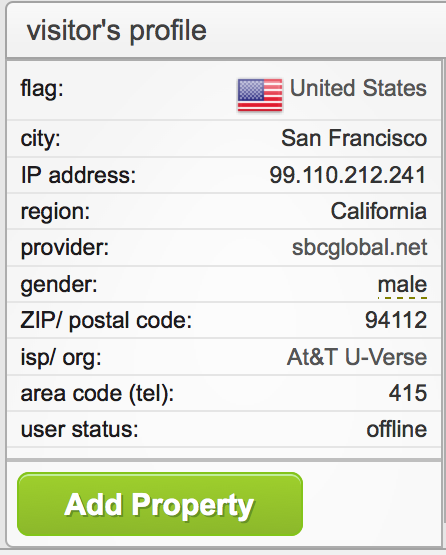
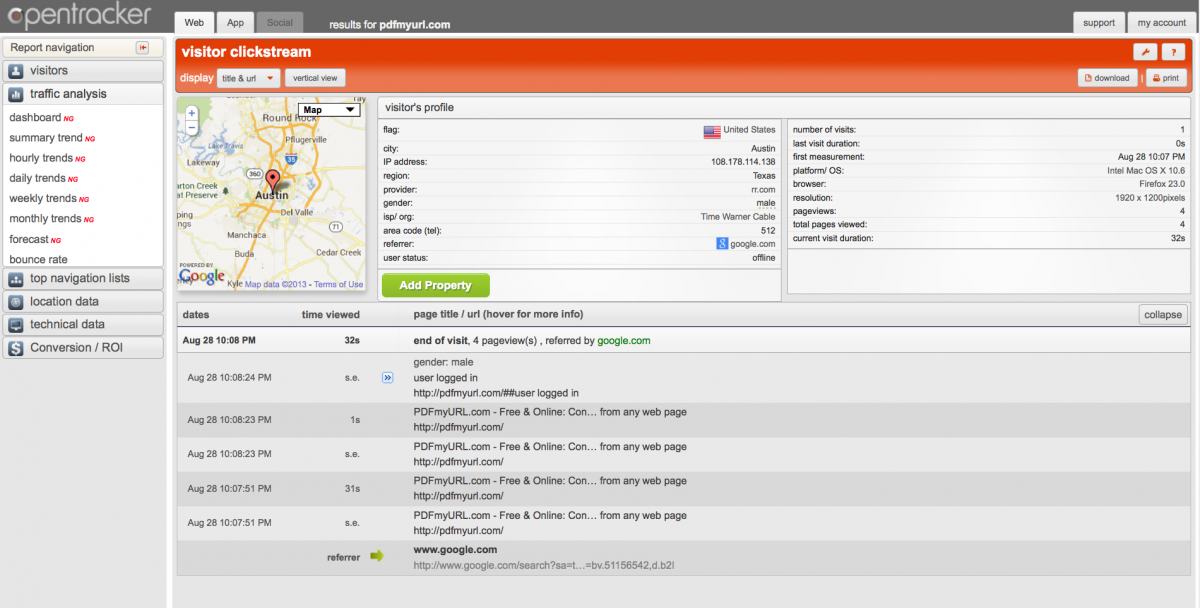
In order to see what data has been collected for your site, login to ot3.opentracker.net and navigate to Visitor Online and Visitor Clickstream. The screenshots below illustrate the example from this article, implemented in the Opentracker reporting system. Notice that gender appears in the visitor profile.
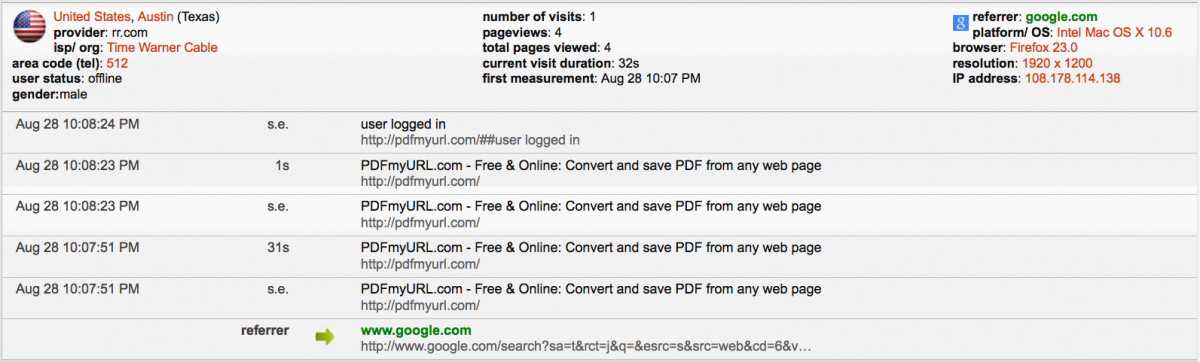
The illustration above shows Opentracker visitor engagement reporting with a clickstream-enhanced visitor profile including a visitor gender.

The illustration above gives us two pieces of information: the gender and the login status, derived using a “login with Facebook” event.
References
- [1] Facebook Apps
- [2] FB account information example (archived)
- [3] FB API does-like example (archived)
- [4] FB API public data example (archived)
- [5] FB API friends example (archived)
- [6] Original Facebook JavaScript file
- [7] Opentracker JavaScript implementation
- [8] Facebook JavaScript FB.api reference
- [9] FB.api development wiki
- [10] Facebook JavaScript reference